Ep. 30: Switching Between ChatGPT, Claude, and Other LLMs Without Starting from Scratch

In this episode we’re talking about how to switch from one LLM to another without starting from scratch or pulling your hair out. I cover why you might want to switch (spoiler: politics and preparedness), how to create a portable memory document that travels with you, and the practical steps for migrating your workflows, projects, and voice to a new AI tool.
Why the Switch?
So today we’re talking about switching LLMs. Why? Because your Maestro likes to be prepared, and also, real talk, shit is shitty in the US and economic boycotts are absolutely one of the ways we can strike back. There have already been calls for folks to unsubscribe from ChatGPT, and I can’t ignore the evidence about how horrendous OpenAI actually is.
This podcast and newsletter aren’t going anywhere, but what I do with the branding/name, and where I land LLM-wise is TBD. (Open to any and all naming suggestions, though I have a few in mind!)
Realistically, REALISTICALLY, the action items that would have the greatest impact would be to either stop using LLMs altogether or to run local, open source LLMs. That said, I’m not ready to give up the informational and educational benefits of LLMs, so that first option isn’t on the table for me.
Switching to a different LLM does feel a bit like out of the pan and into the future fire because money has a way of spoiling things. The next biggest LLM player is Anthropic and they are arguably only marginally better (if at all) when it comes to all things politics, but it’s where folks are feeling to, so I’m gonna focus on them in this blog.
Worth noting, all of these companies are always looking to secure funding, and as such, the only primary controversy related to Anthropic in this domain is a comment from a leaked memo from CEO, Dario Amodei that read: “Unfortunately, I think ‘No bad person should ever benefit from our success’ is a pretty difficult principle to run a business on.” This was in regards to a decision to consider accepting Gulf State money and seeking investment from Middle Eastern sovereign wealth funds.
I should also mention that Anthropic has a partnership with Palantir, but I’ll save that for next week’s episode.
But if we zoom out, we see that Google donates to Trump, Meta donates to Trump, and we’re not even going to discuss Grok. So, yeah, I guess Anthropic wins?
So yes, part of the impetus to create this episode was my neurosis and penchant for preparedness, but the bigger motivation is the political climate and a desire to do the best I can to do the least amount of harm.
How to Migrate Without Crying
So let’s talk about the tactical stuff: How to migrate without crying.
A few things to realize (and I’m setting the stage with expectation management here) is that using a new LLM is going to be different. A new LLM is going to feel different, it’s going to look different, and it’s going to respond differently.
If you’ve been using your current LLM of choice for like 2-3 years, don’t expect ANYTHING to perform the same way in 2-3 sessions. It’s gonna take time.
Exporting Your Chat History (But Don’t)
If you want, you can export your entire chat history with ChatGPT, but I don’t think this is actually the way to go.
For those of you who want to go after it anyway, go to Settings → Data Controls → Export Data. That will export a zipped folder and one of the files in it will be a massive JSON file that has all your conversations with Chat.
The reason I say this isn’t the best route, is because that file is too big to upload anywhere, and honestly it wouldn’t yield a good result trying to use all of that information (many of it redundant and unhelpful) to “program” a new LLM.
A Better Approach: Creating an LLM Portable Memory Document
Your best bet is to create what I’m gonna call an LLM Portable Memory Document.
A portable memory document is a short file that captures how you think, work, and want help, so you can reuse it with any chat system instead of starting from scratch.
Typical contents include:
- Identity and role assumptions
- Values, principles, and non-negotiables
- Domain knowledge or standing definitions
- Style and communication preferences
- Ongoing projects, constraints, and goals
- Guardrails and “do not do” rules
The easiest way to create this is to have ChatGPT (or your default LLM) interview you AND answer the questions. You approve or revise the answer and then it will output the final document.
Here’s a sample prompt: “Please help me create an LLM portable memory document. Please interview me in order to create the document. I would like you to ask the questions one at a time and then provide an answer based on what you know about me and how you think I would answer. I will either approve or revise the answer that you provide.”
When it’s done interviewing you, it’ll generate the document. You can ask it to generate what’s called a markdown file (.md) or you can ask the LLM how to create one on your computer. Markdown files are the recommended format for LLMs as they are plain text and easiest for LLMs to read.
Save it somewhere safe and then take it with you to your new LLM.
Like I said earlier, all LLMs are different. ChatGPT has quite a bit more customization features and settings than the other LLMs do,so your best bet is to ask the LLM how and where you can upload your .md file so that it will be referenced and the LLM can get to know you faster.
For reference, I uploaded mine to Claude as a Claude Skill. I couldn’t find a place for it in Gemini, which seems to just learn you over time.
Migrating Projects and Workflows
The other aspect of changing LLMs is dealing with any projects or workflows that you may have. The nice thing here is that Claude has Projects, and Gemini has Gems.
This means that migrating Projects is really just a matter of copying any instructions that you have in those projects and re-uploading any supporting files to the new LLM. It’s mildly tedious but very straightforward.
In general, when it comes to getting a new LLM up to speed, files are going to be your friend, and uploading writing samples will be helpful for having it learn your voice.
Worth noting, in Ep. 22 I went over how to have ChatGPT create a Voice Anchor, and having one of these is another way to help your new LLM “learn you”.
As a reminder, a Voice Anchor is a short set of rules, patterns, and preferences that help an AI tool write in your actual voice instead of some generic or AI-sounding version. It captures things like how your thoughts naturally move, how you open and close ideas, the tone you default to, what you never want the AI to do, and the internal logic that makes your writing feel like…you.
It’s not a style guide. It’s not a list of favorite words. It’s a baseline map of how you think on the page.
Let It Learn You
For the eleventy billionth time, all the LLMs are different, and so there is also value in just using it and letting it learn you in that way that it learns about its users…which will likely be different than how another LLM does it.
A way to help the new LLM learn you is to perform the repetitive tasks that you have workflows/systems/prompts for on both your original and new LLM to create a baseline for comparison. Then have your original LLM perform that same task. If the original LLM has a much better output, copy and paste that into the new LLM and ask how to get it to create an output that matches.
Lastly, one of the easiest things to do is to simply tell the new LLM that you’re new and you’re wondering about the fastest way to get it up to speed so it feels as similar as possible to using your original LLM.
As per always, when in doubt, ask the robot!
How I Used ChatGPT This Week
Each episode I share a quick example of how I used ChatGPT that week.
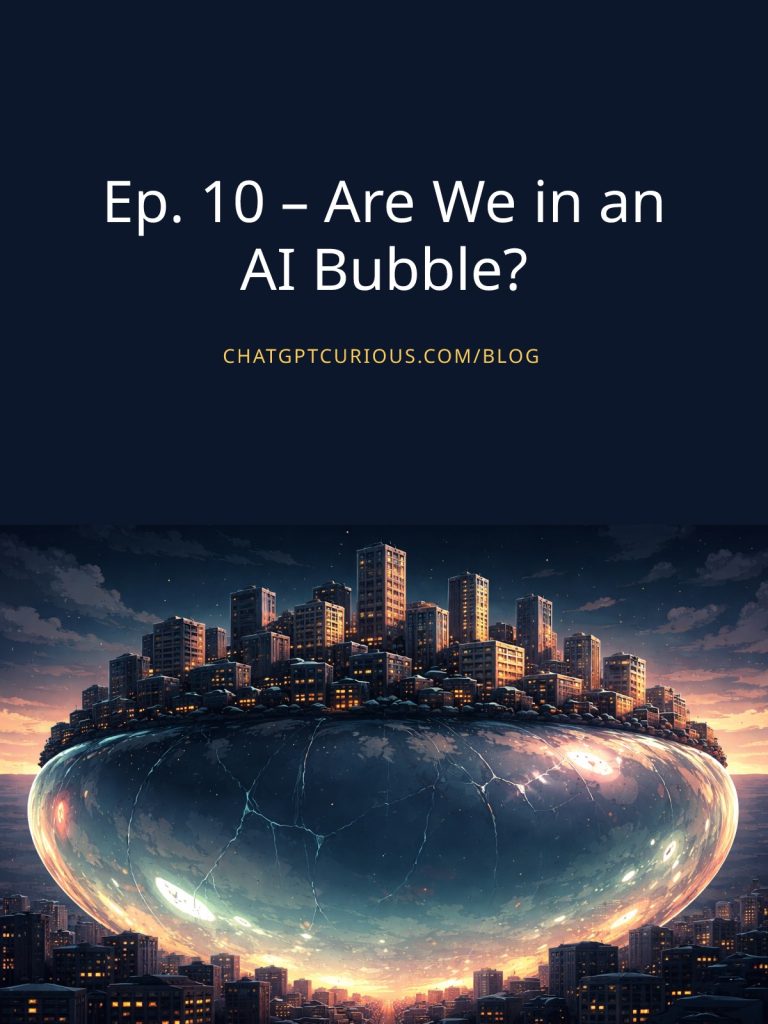
This week I used it to help me code an OG card generator. OG stands for Open Graph and it’s simply a sharable social card that you can use to promote things on the interwebs.
Substack generates these cards for individual blog posts and I wanted to be able to do the same for my ChatGPT Curious blog, so I had ChatGPT help me code one up.
Now all I have do is input the URL of my blog post and it generates an OG card that has the title of the episode and the featured image. Here’s what one of my favorite ones looks like:
Yes, I could do this in Canva, but this is faster and honestly, it’s just really cool to be able to code my own tools.
Da Wrap-up
Hopefully I’ve shown you that switching LLMs doesn’t have to be a complete nightmare. Yes, there’s going to be a learning curve and a break-in period, but you’ll be fine. The key is creating that portable memory document, migrating your projects and workflows, and then simply using the new LLM and letting it learn you over time. And if all else fails, ask the robot.
As always, endlessly appreciative for you and your curiosity. Don’t forget to hit me back if you have any podcast name suggestions!